PDF Processing Guide
Process PDF files using Python libraries and command-line tools to perform operations such as reading, extracting text and tables, merging, splitting, rotating pages, adding watermarks, creating new PDFs, filling forms, encrypting/decrypting, extracting…
Runs on Jetty's managed sandbox. No setup. Free for your first 10 runs.
Real runs, real outputs.
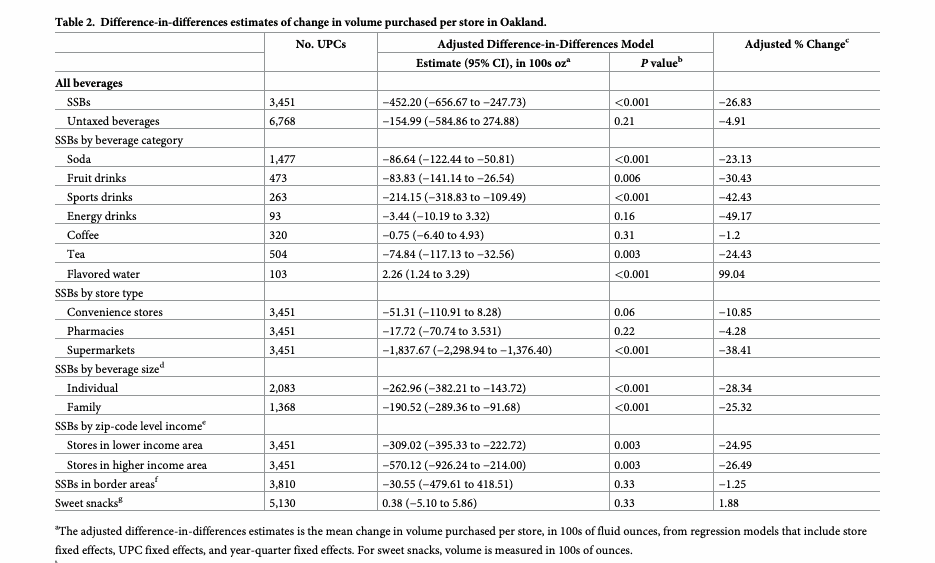
Research-paper tables → JSON
Extract every table from a 20-page PLOS Medicine article into one strictly-valid JSON file (empty cells null, word spacing recovered).
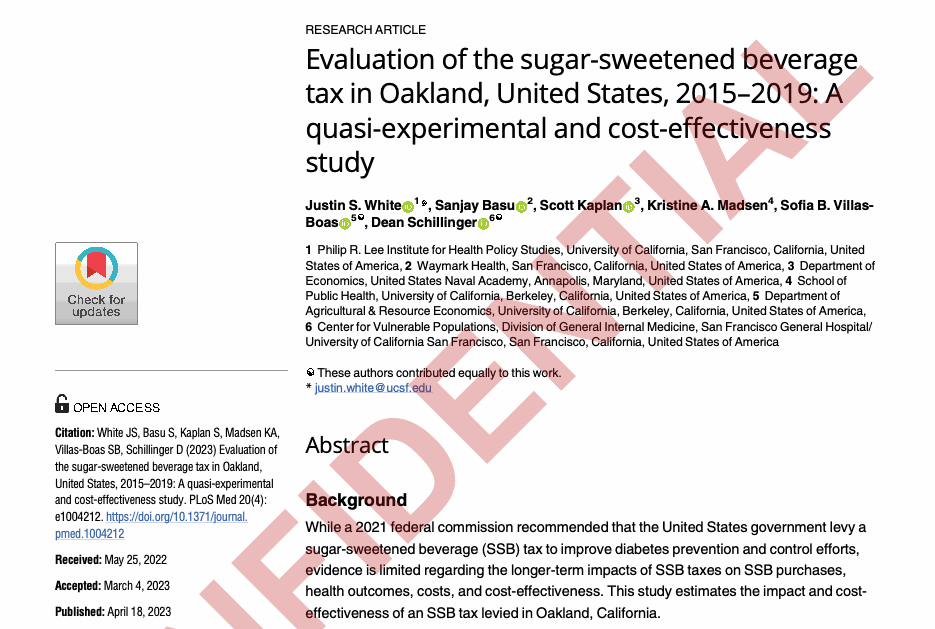
Stamp a PDF CONFIDENTIAL
Overlay a bold diagonal CONFIDENTIAL watermark on all 20 pages and emit a single watermarked PDF — and only that PDF.
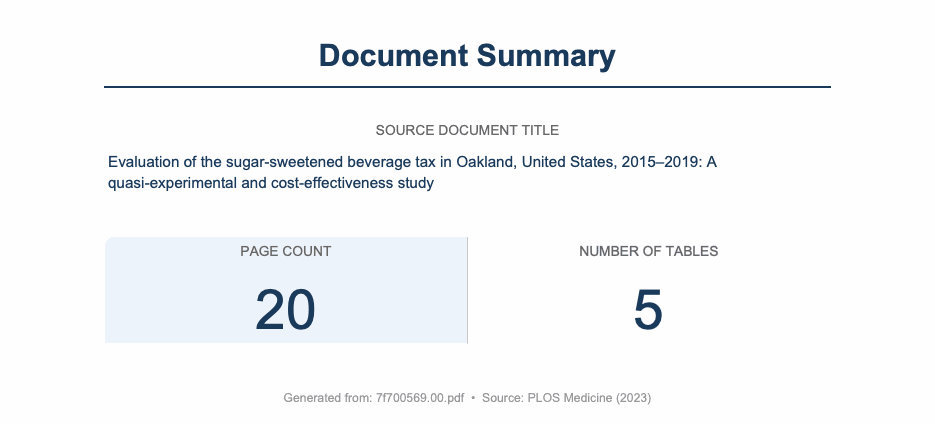
Author a one-page summary PDF
Generate a clean, branded one-page Document Summary PDF from scratch — source title, page count and table count — proving the toolkit authors PDFs, not just consumes…
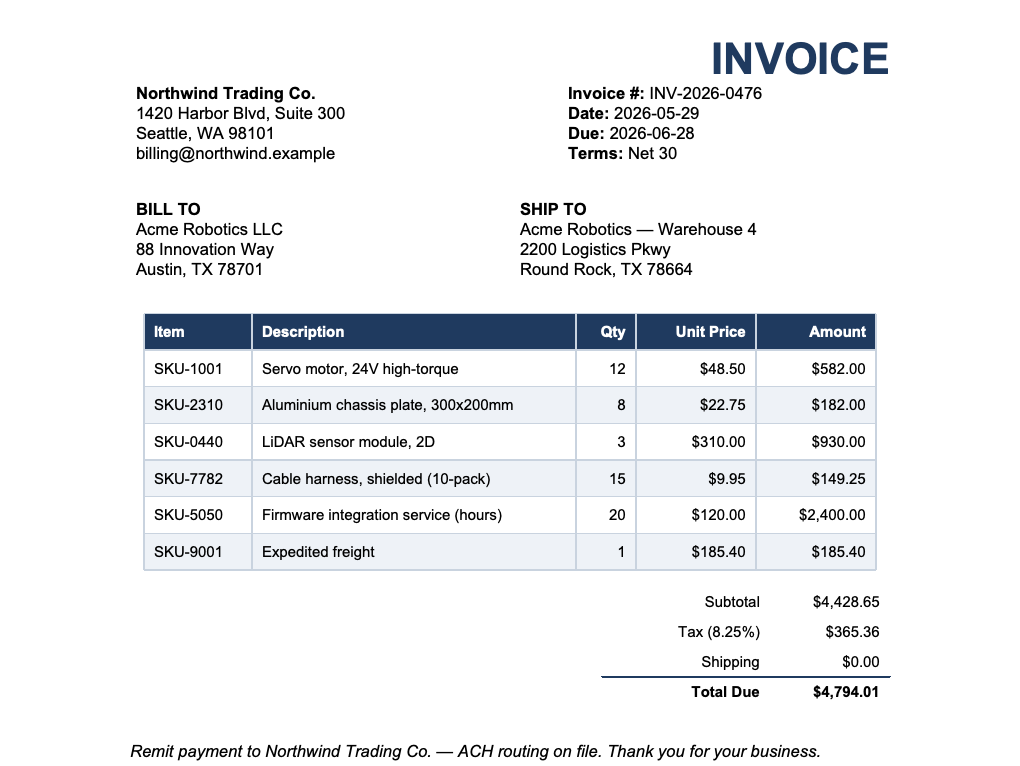
Invoice line items → JSON
Extract a commercial invoice's line-items table (item, qty, unit price, amount) into strictly-valid JSON — the canonical document-to-data use case.
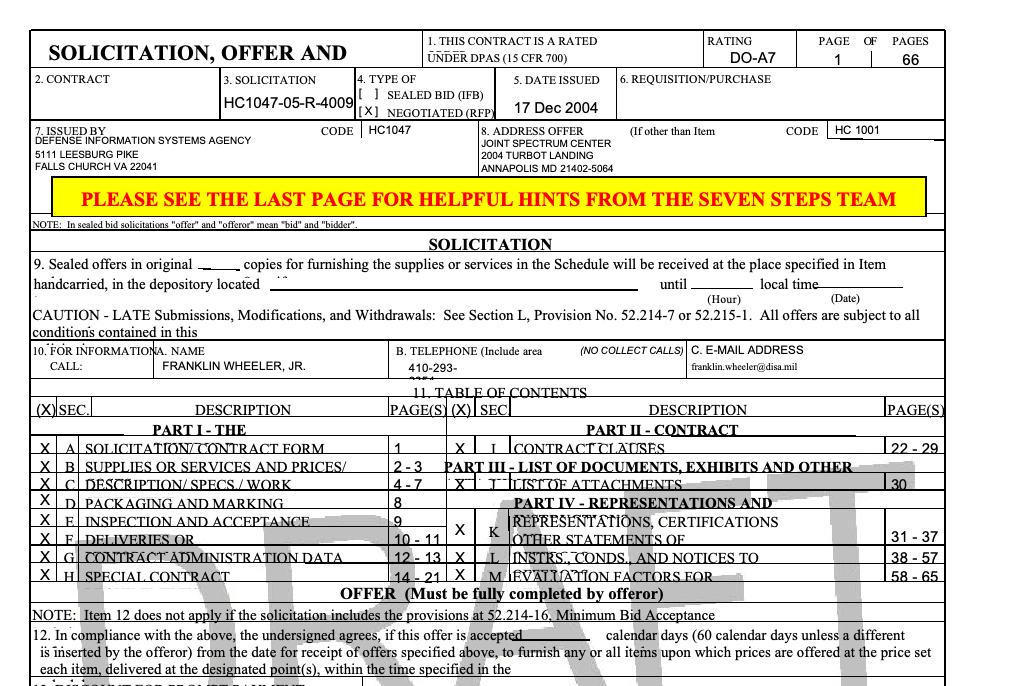
Federal RFP → full text
Extract all text from a 66-page federal solicitation (DISA RFP HC1047-05-R-4009) — ~184k characters for search/RAG. A robustness test on a large, form-heavy government…
8 steps · start to finish.
- 1Step 1
Environment Setup
▶Install all Python dependencies and verify CLI tools are available.
echo "=== Installing Python dependencies ==="
pip install pypdf pdfplumber reportlab

# Install optional dependencies based on operation
OPERATION="${OPERATION:-extract-text}"
if [[ "$OPERATION" == "ocr" ]]; then
  pip install pytesseract pdf2image
fi
if [[ "$OPERATION" == "extract-tables" ]]; then
  pip install pandas openpyxl
fi

echo "=== Checking CLI tools ==="
command -v pdftotext >/dev/null 2>&1 && echo "pdftotext: OK" || echo "pdftotext: not found (install poppler-utils)"
command -v qpdf      >/dev/null 2>&1 && echo "qpdf: OK"      || echo "qpdf: not found"
command -v pdftk     >/dev/null 2>&1 && echo "pdftk: OK"     || echo "pdftk: not found (optional)"

echo "=== Creating output directory ==="
mkdir -p /app/results
Verify Python imports succeed before proceeding:
from pypdf import PdfReader, PdfWriter import pdfplumber from reportlab.lib.pagesizes import letter print("All core dependencies imported successfully") - 2Step 2
Validate Inputs
▶Verify that the input PDF(s) exist and are readable before running any operation.
- 3Step 3
Execute PDF Operation
▶Choose the appropriate code block for the requested operation. Run the relevant section only.
- 4Step 4
Iterate on Errors (max 3 rounds)
▶If Step 3 raised an exception or produced an empty/corrupt output file:
- 5Step 5
Validate Outputs
▶Verify that all expected output files exist and are non-empty. For JSON outputs, also verify they parse as strictly-valid JSON.
- 6Step 6
Write Executive Summary
▶Write /app/results/summary.md with a concise record of the run.
- 7Step 7
Write Validation Report
▶Write /app/results/validation_report.json.
- 8Step 8
Final Checklist (MANDATORY — do not skip)
▶echo "=== FINAL OUTPUT VERIFICATION ===" RESULTS_DIR="/app/results"