Text-to-CAD
Turn a natural-language part description into a validated, STEP-first parametric CAD model using the earthtojake/text-to-cad cad skill (build123d + OpenCascade). Author a parametric build123d generator, export a STEP file (plu
Real runs, real outputs.
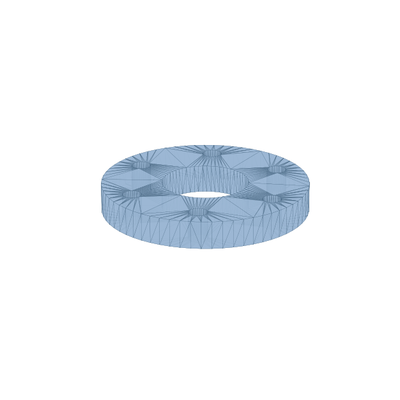
Bolt-Circle Mounting Flange
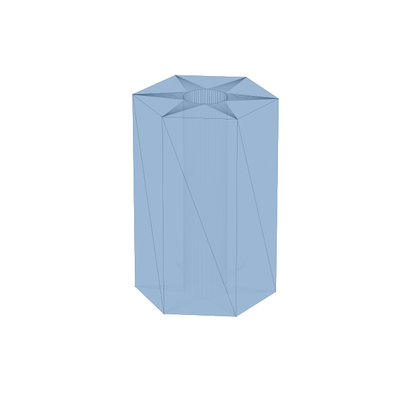
Hex Standoff with Axial Bore
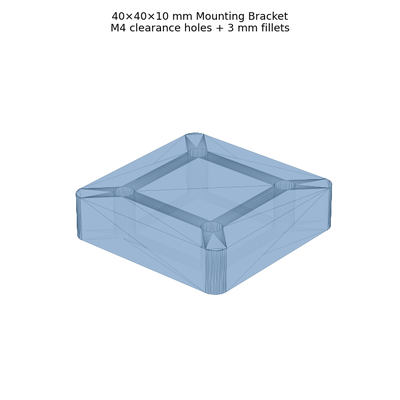
Mounting Bracket with Fillets
8 steps · start to finish.
- 1Step 1
Environment Setup
▶set -e mkdir -p {{results_dir}} SKILL=/opt/text-to-cad/skills/cad # baked skill dir (scripts/step|inspect|snapshot) WORK={{results_dir}}/work mkdir -p "$WORK" # Verify the CAD runtime is present (baked into the text-to-cad snapshot). python -c "import build123d, cadpy; from build123d import Box; print('build123d', build123d.__version__)" \ || { echo 'ERROR: CAD runtime missing — is snapshot=text-to-cad?'; exit 1; } test -f "$SKILL/scripts/step/__main__.py" || { echo "ERROR: cad skill not at $SKILL"; exit 1; } # Fail fast on an empty prompt. PROMPT='{{prompt}}' [ -n "$PROMPT" ] || { echo 'ERROR: prompt is empty'; exit 1; } - 2Step 2
Write a CAD Brief
▶From {{prompt}}, extract into a short brief (record it in summary.md): dimensions + units (default mm), coordinate convention (base plane XY, up +Z), feature intent (holes, fillets, pockets, bosses…
- 3Step 3
Author the build123d Generator + Export STEP
▶Write {{results_dir}}/work/model.py — a parametric build123d script that defines gen_step() returning the part (a build123d Part/Compound/ BuildPart result). Use named parameters at the top, verbose…
- 4Step 4
Inspect & Validate Geometry
▶Run the skill's deterministic inspection, then verify the spec dimensions the brief called out. Persist a machine-readable summary to inspect_report.json.
- 5Step 5
Render a Verification Snapshot (MANDATORY)
▶A visual snapshot is mandatory after creating geometry. First try the skill's renderer; if the interactive viewer renderer is unavailable in this headless runtime, fall back to a deterministic…
- 6Step 6
Iterate on Errors (max 3 rounds)
▶If STEP generation failed, a spec dimension didn't match, or the snapshot is empty/degenerate:
- 7Step 7
Copy Outputs + Write Reports
▶cd "$WORK" cp -f model.py model.step model.stl snapshot.png inspect_report.json {{results_dir}}/ 2>/dev/null · true
- 8Step 8
Final Checklist (MANDATORY — do not skip)
▶echo "=== FINAL OUTPUT VERIFICATION ===" RESULTS_DIR="{{results_dir}}" for f in \ "$RESULTS_DIR/model.py" \