ClinicalTrials.gov Condition Search Extraction
Search ClinicalTrials.gov for studies matching the condition {{condition}} that were first posted between {{posted_from}} and {{posted_to}}. For each matching study, open its own ClinicalTrials.gov study page (https://clinicaltrials.gov/study/{NCT_NUMBER})…
Runs on Jetty's managed sandbox. No setup. Free for your first 10 runs.
Real runs, real outputs.
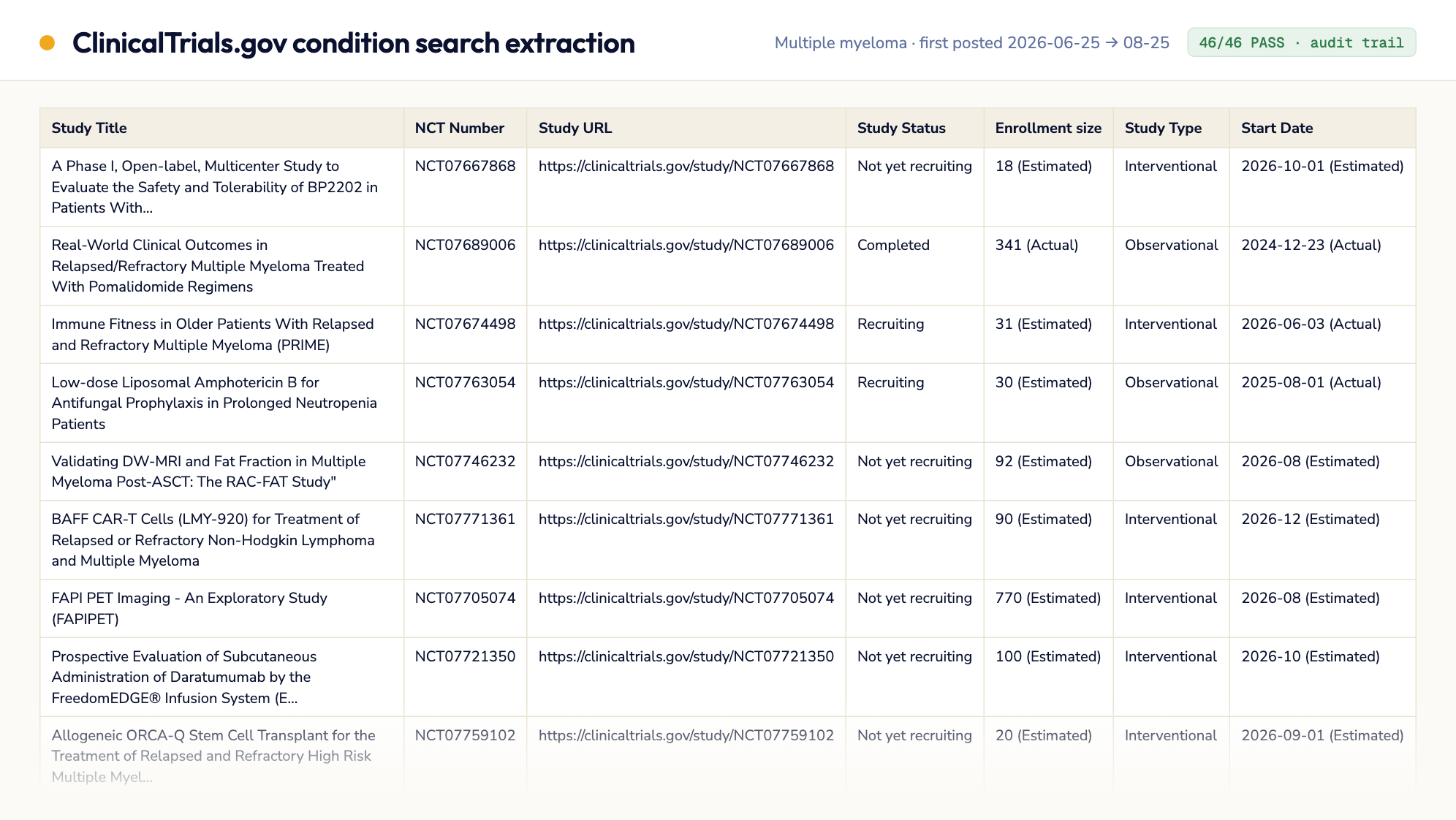
Multiple myeloma, 2-month posting window
47 API candidates narrowed to 46 studies (one dropped by the condition sanity check), all 46 PASS with every field verbatim from the study's own page and zero 'Not…
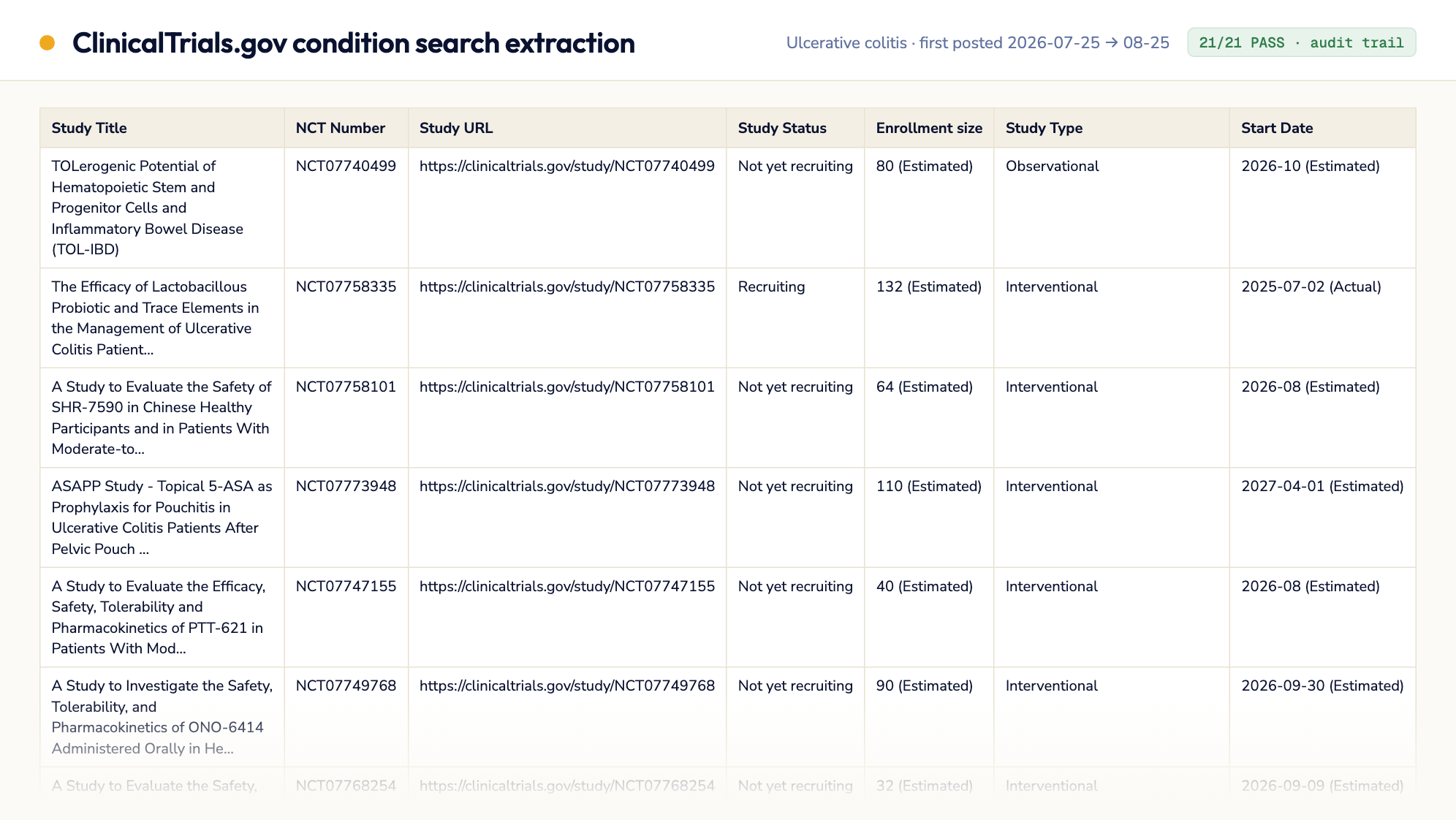
Ulcerative colitis, 1-month posting window (with audit trail)
22 API candidates, 1 dropped by the condition sanity check (generic IBD only), 21 studies extracted with every field verbatim from the study page — 21/21 PASS, zero 'Not…
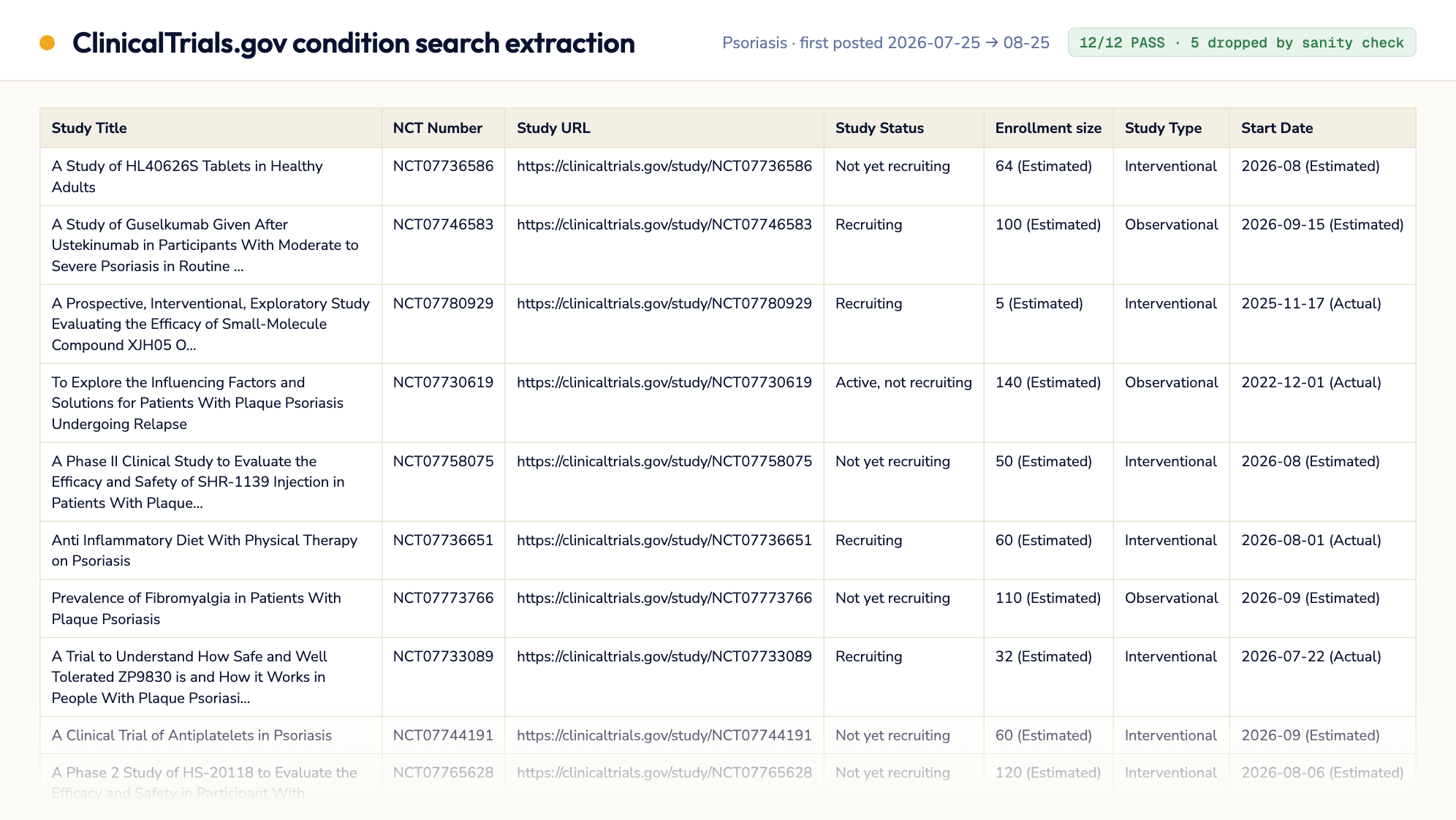
Psoriasis, 1-month posting window (sanity check at work)
17 API candidates, of which 5 were dropped by the condition sanity check — three psoriatic-arthritis studies, one healthy-volunteer PK study, one generic…
9 steps · start to finish.
- 1Step 1
Environment Setup
▶pip install pandas playwright python -m playwright install chromium mkdir -p {{results_dir}}No secrets are required — both the API and the study pages are public.
- 2Step 2
Build the Candidate List
▶Use the ClinicalTrials.gov API v2 to narrow down which studies to visit. This step only produces a list of NCT numbers — it is NOT the source of any extracted field value.
- 3Step 3
Extract Exact Field Values From Each Study Page
▶For every candidate NCT number remaining after Step 2, open https://clinicaltrials.gov/study/{NCT} in a real browser (Playwright/Chromium) and wait for the page content to fully render (the page is a…
- 4Step 4
Evaluate Outputs
▶For each row, assign an evaluation status:
- 5Step 5
Iterate on Errors (max 3 rounds)
▶If any rows received FAIL or PARTIAL status:
- 6Step 6
Write Extraction Audit Trail
▶Write {{results_dir}}/extraction_audit.json — the full provenance trail assembled while working through Steps 2-5. This exists so a reader can verify no value was fabricated or backfilled from the…
- 7Step 7
Write Executive Summary
▶Write {{results_dir}}/summary.md with the following structure:
- 8Step 8
Write Validation Report
▶Write {{results_dir}}/validation_report.json:
- 9Step 9
Final Checklist (MANDATORY — do not skip)
▶echo "=== FINAL OUTPUT VERIFICATION ===" RESULTS_DIR="{{results_dir}}" for f in "$RESULTS_DIR/studies.csv" "$RESULTS_DIR/summary.md" "$RESULTS_DIR/validation_report.json"…